How ETF Setups works.
ETF Setups scans daily price data for three swing-trading setups. Each signal has a model entry, stop and exit rules. You decide whether to trade and manage your orders through your broker.
Read the daily trend
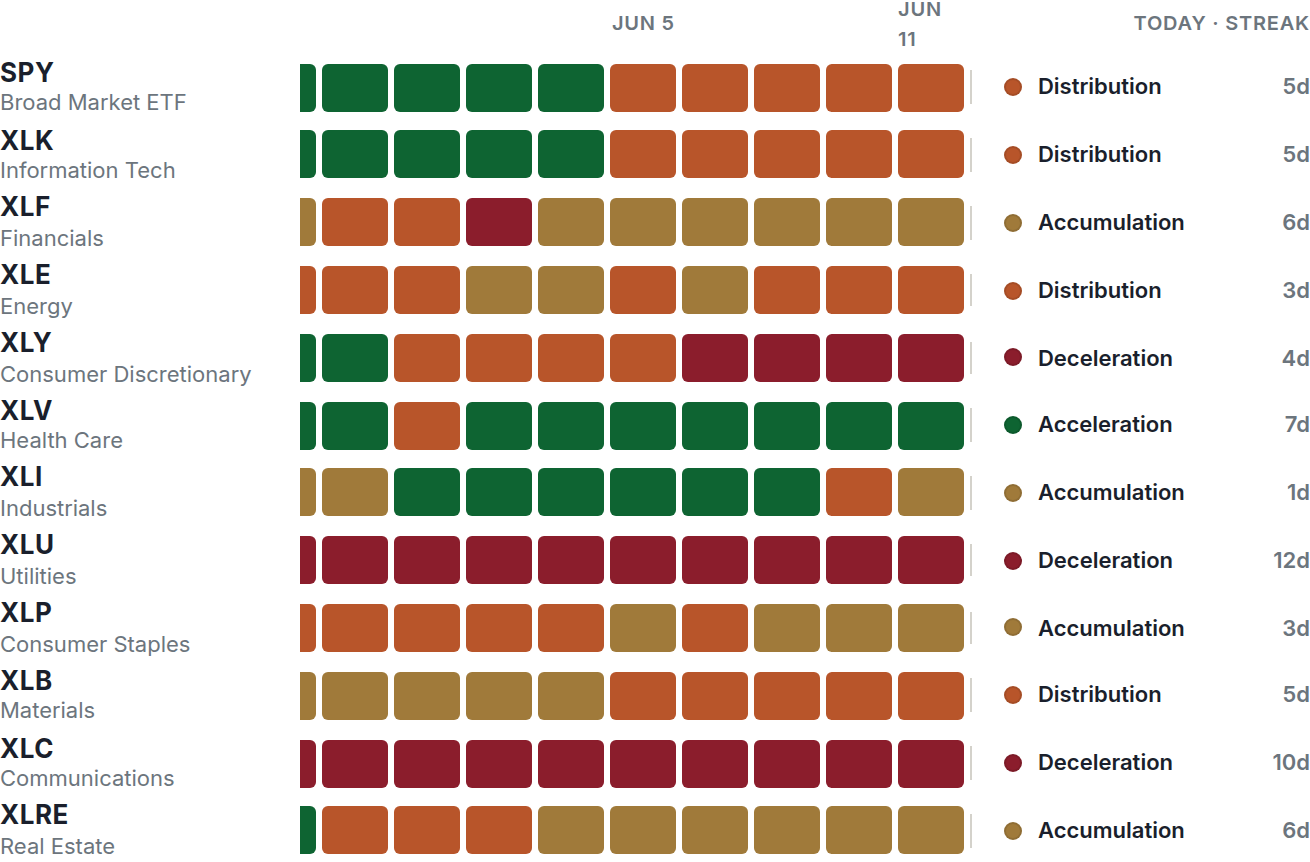
Market Pulse classifies each symbol using its trend alignment and its price relative to the Market Pulse line. The four colors describe the current state; they do not predict the next move.
The sector map shows 60 sessions of history for US sectors. The world map covers international and commodity ETFs.
A green trend is not a new entry by itself. Trend Reversal looks for a qualifying turn; First Pullback looks for the first qualifying dip after that turn.
Check the setup
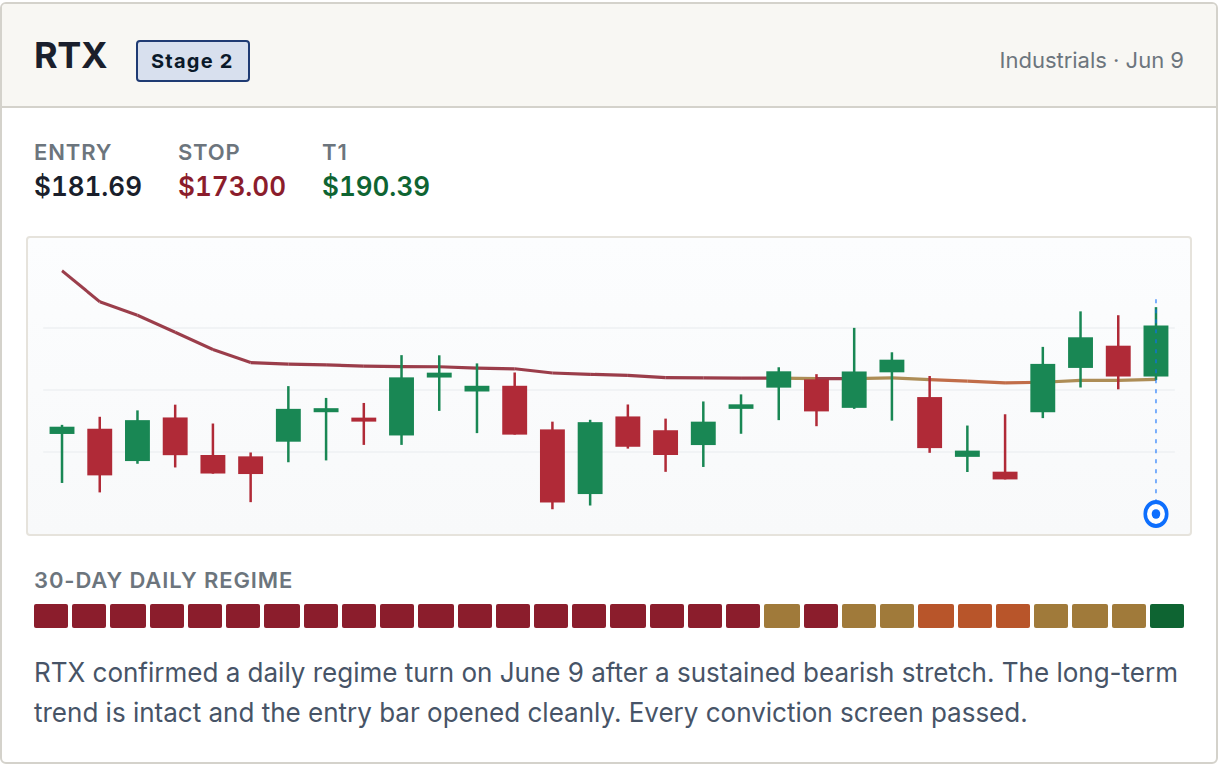
Trend Reversal identifies an upward trend change. First Pullback identifies a dip toward the Market Pulse line after that change. Oversold Bounce looks for a recovery after a large decline and applies only to ETFs.
Trend setups require a qualifying upward turn or pullback. Oversold Bounce uses a declining trend.
Stock setups also check the bearish sessions before the turn.
The signal-day opening gap must pass the entry filter.
First Pullback limits how far the close can fall below the Market Pulse line.
Setups must pass their applicable filters before appearing as signals. The number of qualifying signals varies by session.
Follow the exit rules
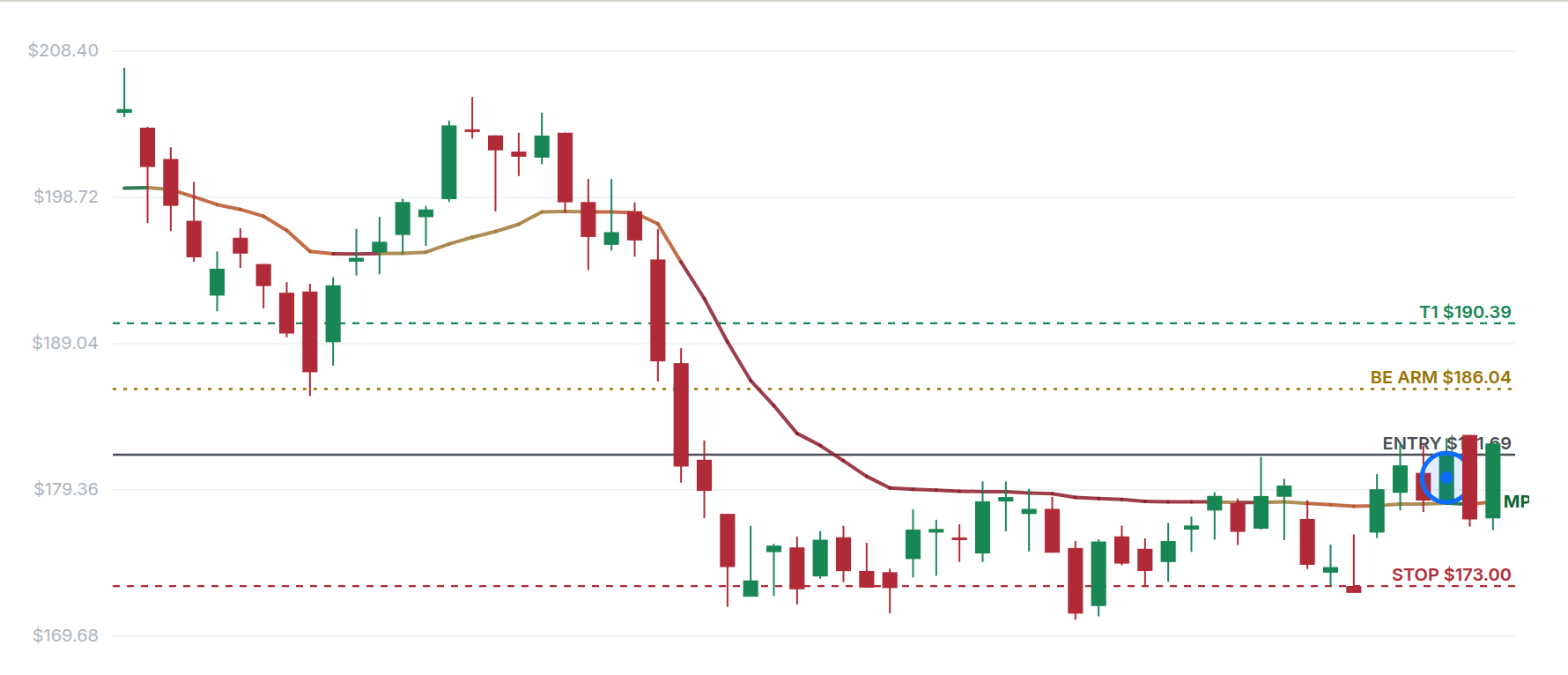
Trend Reversal and First Pullback use the same exit sequence, with a different trailing-stop trigger for ETFs and stocks. ATR, or average true range, measures price movement.
Oversold Bounce has a target 2 ATR above entry, a stop 4 ATR below entry and a 40-session limit. It does not use a trailing stop or the trend-change exit.
Review the daily update
Signals and model positions update after the daily close. The model records stop exits when the daily low touches the stop, and trend-change exits at the closing price. Those are model fills; your broker execution may differ.
ETF Setups does not place trades or update broker orders. Review the published levels and maintain your own orders.
- Evening Review new signals and model exits.
- Next open Check current prices before placing your orders.
- All day Manage your orders through your broker.
- Close Review updated stops and positions.
Understand the results
The record separates historical backtests from signals tracked since launch. Compare trade counts, average returns and losses alongside win rate. Model results are not brokerage returns.
What members can see
Members see signal levels, exit rules and the recorded outcomes. The exact signal-filter thresholds and indicator settings are proprietary.
Review the model track record
The public performance summary includes winning and losing trades and months. Review it before subscribing.